Free Supplier Risk Scorecard Download
Download our free supplier risk scorecard here!
Download the free tool!AI Summarize:
Essential Features for Small Business Inventory


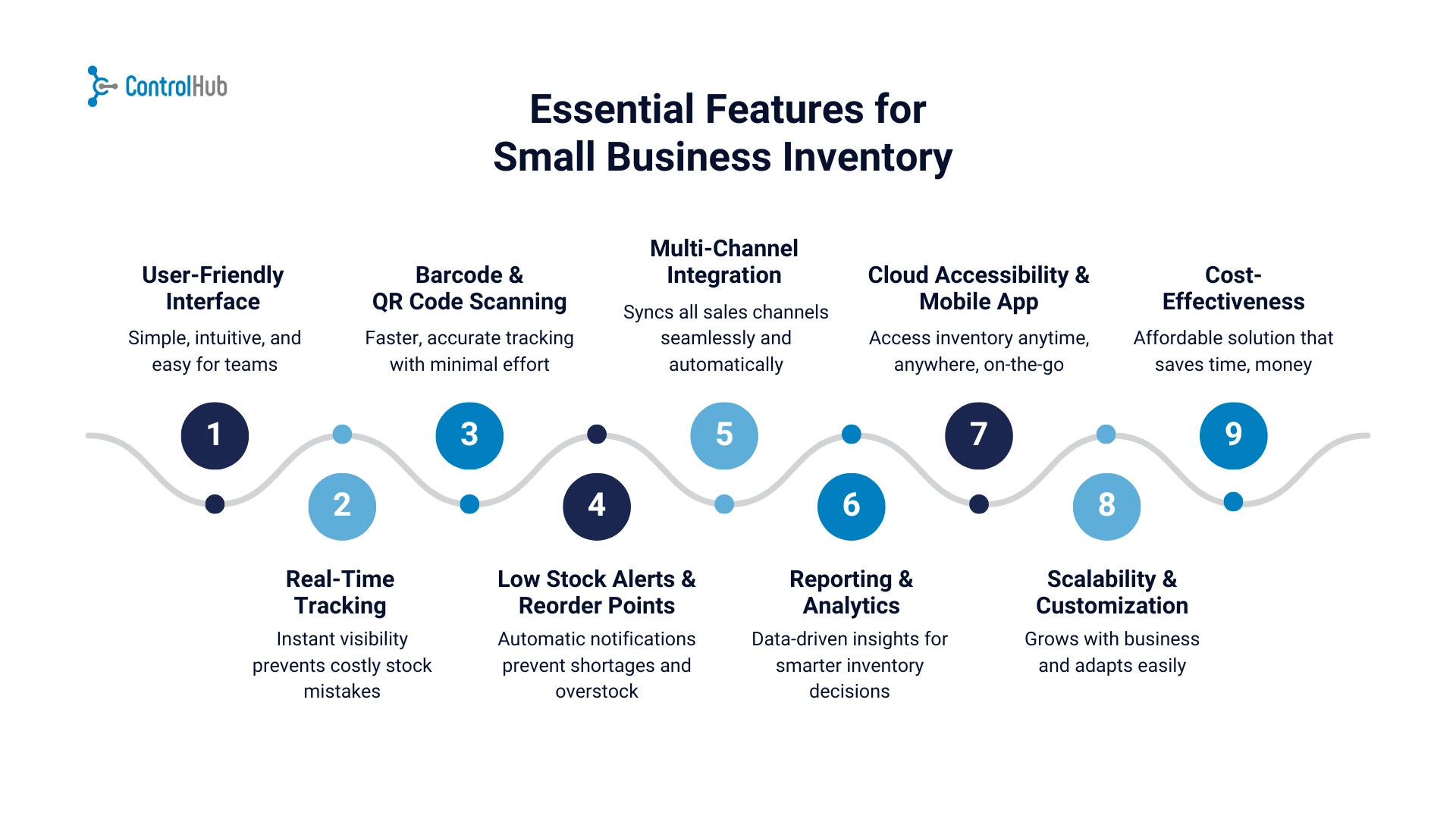
1. User-Friendly Interface
Inventory software should make life easier, not add another headache.
For small businesses, a user-friendly interface is non-negotiable. You don’t have the luxury of a full IT department or weeks of training; your team needs to log in, see what’s going on, and get to work without confusion.
A good system should feel intuitive from the start: clean dashboards that highlight what matters (like stock levels, incoming orders, or alerts), straightforward navigation, and simple data entry. Think of less complicated systems and more like a straightforward app you actually enjoy using.
This matters because small businesses often wear many hats, owners double as buyers, staff pitch in with receiving, and seasonal employees might help during busy periods.
If the software requires constant training or hand-holding, it slows everyone down and defeats the purpose.
When evaluating systems, ask yourself: could someone new figure this out in 15 minutes? If the answer is no, it’s probably too complex.
Remember, the best inventory system isn’t the one with the longest feature list; it’s the one your team can actually use every single day without stress.
2. Real-Time Tracking
One of the biggest advantages of a modern inventory system is the ability to see what’s happening right now. Real-time tracking gives you instant visibility into stock levels, whether you’re checking the backroom, multiple store locations, or online sales channels.
Without it, small businesses often find themselves overselling items that aren’t actually available or discovering shortages only when it’s too late. Real-time data helps you avoid those costly surprises. If a customer places an order online, the system should immediately update available stock, so you don’t end up promising items you can’t deliver.
It’s also useful for day-to-day operations.
Say you receive a shipment, your system should automatically update the numbers once items are scanned in. Or if a product sells in-store, that sale should instantly reflect in your dashboard. No waiting for nightly syncs or manual spreadsheet updates.
3. Barcode & QR Code Scanning
Manually typing product codes or counting boxes by hand is not only slow, it’s error-prone.
That’s why barcode and QR code scanning is such a game-changer for small businesses. It doesn’t require expensive hardware anymore; even a smartphone can get the job done.
Here’s why it matters:
- Faster operations: Scanning speeds up tasks like receiving shipments, tracking items, or doing cycle counts. What used to take hours can be done in minutes.
- Accuracy: Typos and miscounts are common when entering data manually. Scanning ensures each item is logged correctly the first time.
- Affordable tools: You don’t need enterprise-grade equipment. Many inventory systems let you use a regular phone or tablet as a scanner.
- Easier audits: When it’s time to double-check stock, scanning simplifies the process and reduces stress.
- Scalable: Works whether you’re managing 50 SKUs or 5,000.
For small businesses, this feature saves both time and headaches. Less manual work means fewer mistakes and more time to focus on customers.
4. Low Stock Alerts & Reorder Points
Running out of best-selling items is one of the quickest ways to lose sales and frustrate customers. On the flip side, overstocking ties up cash in products that just sit on your shelves. Low stock alerts and reorder points help you avoid both extremes.
With this feature, your system notifies you when an item is running low, so you can restock before it becomes a problem. Even better, you can set reorder points—custom thresholds that trigger a reminder or even an automated purchase order when stock dips below a certain level. This way, you’re not relying on guesswork or scrambling at the last minute.
For small businesses, this is especially important because every unit counts, so yes, finding the right system can make or break your whole process.
5. Multi-Channel Integration
If your business sells in more than one place, say a physical store, a Shopify site, and maybe Amazon, keeping inventory in sync can quickly become a nightmare.
Multi-channel integration makes sure everything stays aligned, no matter where sales happen.
This is why it’s essential:
- One source of truth: All your sales channels pull from the same inventory pool, so you’re not manually updating numbers in three different systems.
- Prevents overselling: When a product sells in-store, the system automatically updates online availability, avoiding awkward cancellations.
- Saves time: No need to copy-paste stock counts between platforms; updates happen automatically.
- Better customer experience: Customers get accurate information about what’s in stock, which builds trust.
- Simplifies growth: Expanding to a new channel is much easier if inventory is already centralized.
6. Reporting & Analytics
You can’t improve what you don’t measure—and that’s where reporting and analytics come in. For small businesses, this feature turns raw inventory data into actionable insights. Instead of guessing what’s selling or sitting too long, you can see clear patterns in real time.
A good system should give you quick, digestible reports:
- Top-selling and slow-moving products to guide purchasing decisions
- Sales trends to anticipate busy seasons
- Stock valuation and turnover rates to monitor cash flow
- Supplier performance reports to spot delays or quality issues
You don’t need complex dashboards or data science skills. The goal is simple: know what’s moving, what’s not, and where your money’s tied up. With clear analytics, you can order smarter, reduce waste, and keep shelves working efficiently—all without getting lost in spreadsheets.
7. Cloud Accessibility & Mobile App
Running a small business doesn’t always happen behind a desk. Whether you’re checking inventory from the stockroom, at a trade fair, or halfway through deliveries, cloud accessibility keeps you connected.
A cloud-based system means:
- Access from anywhere – log in from any device, anytime.
- Automatic updates and backups – no IT maintenance needed.
- Team collaboration – multiple users can work simultaneously without overwriting data.
- Mobile-friendly features – check stock, process sales, or receive items straight from your phone.
This flexibility is key for owners constantly on the move. You can make decisions faster because your data’s always up to date.
8. Scalability & Customization
What works for your small business today might not work six months from now—and that’s fine, as long as your system can grow with you. Scalability means you can add products, users, or even locations without rebuilding everything from scratch.
Look for:
- Flexible plans that let you expand without heavy costs
- Custom fields to match your unique workflows
- Integration options with accounting, e-commerce, or shipping tools
- User permissions so your growing team has the right access levels
9. Cost-Effectiveness
Small businesses don’t need every fancy feature available; they need value. Cost-effectiveness doesn’t always mean “cheapest,” it means paying for what genuinely helps you run smoother and grow sustainably.
When comparing options, consider:
- Transparent pricing – no surprise fees for users or add-ons
- Essential vs. extra features – focus on what you’ll actually use
- ROI – how much time and error reduction will this save you each month?
- Scalability of plans – can you start small and upgrade later?
The right system should free up time, reduce costly mistakes, and pay for itself through better control and smarter purchasing.
Free Supplier Risk Scorecard Download
Download our free supplier risk scorecard here!
Download the free tool!Free Supplier Risk Scorecard Download
Download our free supplier risk scorecard here!
Download the free tool!Free Supplier Risk Scorecard Download
Download our free supplier risk scorecard here!
Download the free tool!Free Supplier Risk Scorecard Download
Download our free supplier risk scorecard here!
Download the free tool!Key Takeaways
- Keep it simple. The best inventory system for small businesses isn’t overloaded with features—it’s easy to use, reliable, and keeps your team productive.
- Real-time visibility matters. You should always know what’s in stock, where it is, and when to reorder—without digging through spreadsheets.
- Automation saves headaches. Features like barcode scanning, low stock alerts, and reorder points cut out repetitive manual work.
- Integration is your safety net. If you sell across multiple channels, syncing inventory data prevents overselling and wasted time.
- Data drives better decisions. Reporting tools help you spot trends, plan smarter, and keep cash flow balanced.
- Flexibility pays off. Choose a system that grows with your business—scalable, cloud-based, and affordable.
%20(1).avif)



.png)